Episode Transcript
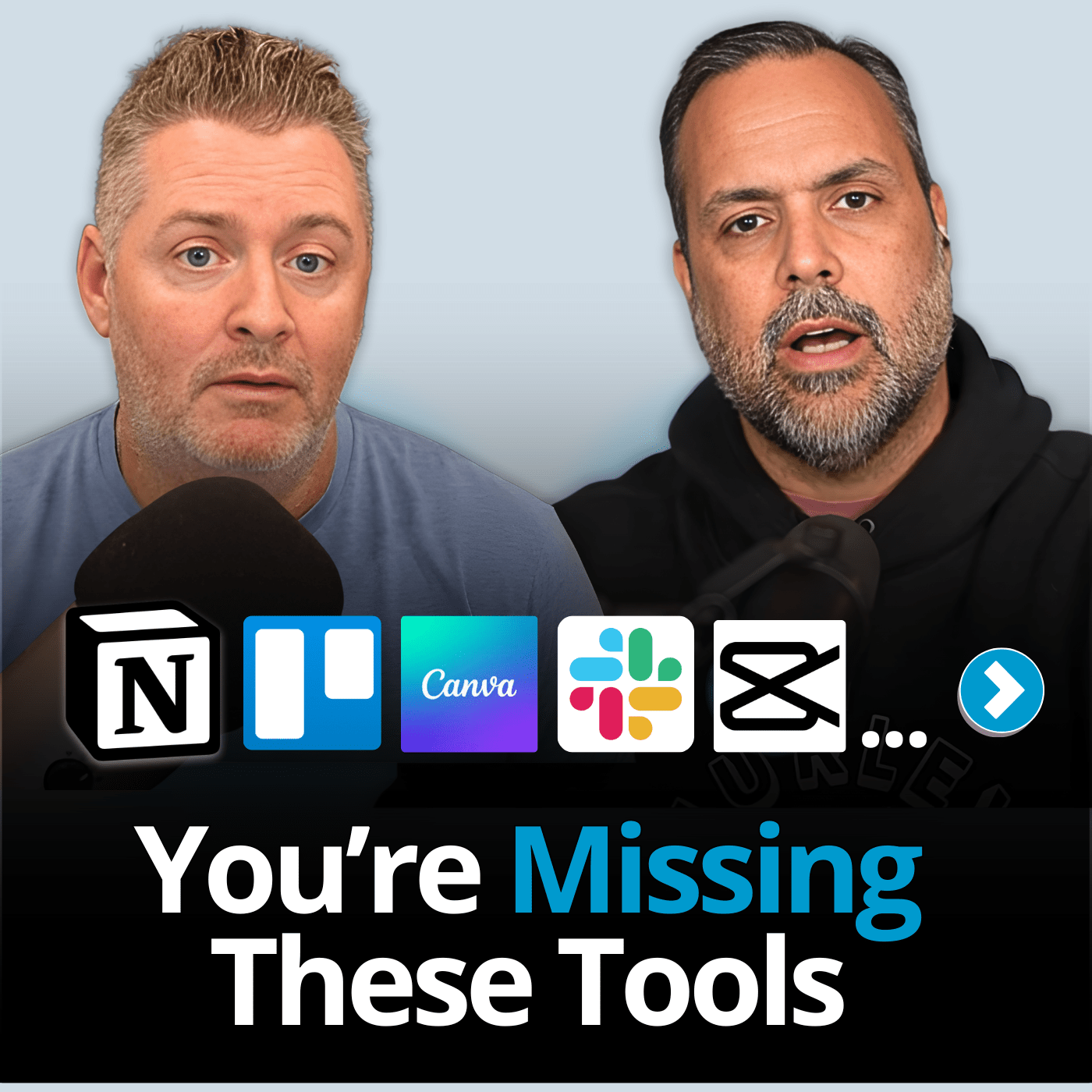
[00:00:00] Speaker A: So many small churches I talk to are sitting on digital tools that'll save them literally hours every single week. And in this conversation, we're going to unpack some of the best of them. Let's do this.
You're listening to the Reach Right Podcast, the show dedicated to helping your church reach more people and grow well, hey, guys, I'm Thomas.
[00:00:22] Speaker B: And I'm Ian.
[00:00:23] Speaker A: And today we're talking about digital tools that are overlooked by a lot of churches. And we're going to rank them for you, our audience, give you our feedback on some of the tools that we hear from you that you're using most often. So should be a good conversation. Ian.
[00:00:37] Speaker B: Yeah, these are always fun. We always try to come up with creative little ranking names, so should be good.
[00:00:44] Speaker A: Yeah. How are we going to rank things today?
[00:00:46] Speaker B: Today we have a system of mission movers, which means good. And then we have ministry maybes, which is a mid. Right in the middle.
[00:00:56] Speaker A: Mid.
[00:00:57] Speaker B: And then we have misfires, which, of course would be bad. So those are going to be our three ranking categories today.
[00:01:06] Speaker A: So awesome. Yeah, should be a good conversation. And again, these are tools that we hear from the ReachWrite family out there that you guys are using at your church. I'm going to give you my hot take on them. Not gospel. If you.
I encourage you to come at me, bro. If you want to let me know what you think about these things, leave us a comment down below. If you disagree or you're using something similar, just let us know down in the comments. So, yeah. All right, Ian, our producers put together this list. I'm coming in. I've read what they are, but I'm. I haven't, like, formulated my thoughts on them just yet.
[00:01:41] Speaker B: Yeah.
[00:01:41] Speaker A: But I'm going to give you my live reaction.
[00:01:43] Speaker B: I know you're going to do just fine, Thomas. And I know this first one you're actually going to really like, which is Claude.
[00:01:49] Speaker A: I do like Claude.
[00:01:49] Speaker B: You talked about Claude and you use it, right?
[00:01:52] Speaker A: I do. I'm a paid user of Claude. I use it for ReachWrite a lot. I use it for church a lot.
So I am in the position where I have both ChatGPT subscription and a Claude subscription. They're both about 20 bucks a month. I pay for both of them here at ReachWrite. For our entire team, we have accounts of ChatGPT. So you have a ChatGPT Pro account, like several members of our staff do. Right. But only I use Claude because I do most of the kind of writing content and those kinds of things here. And that's where Claude really shines. So for Chat GPT, we use it all the time for like a lot of creative tasks. I think for analysis. I like it better for creating graphics and then using Sora and videos and those kinds of things. It's great at that. Claude, I think today is a much better, more human writer than ChatGPT is now. Don't make a mistake. I'm not saying that ask it to write a sermon for you and you'll have a ready to go sermon. But I think that it's better at actually producing content, like first drafts of things. Like if I'm doing a. Maybe an email to my church and I've given it a really big prompt and I've broken down the things I want to talk about, my first crack at it will be better in Claude than it will be for me, at least in ChatGPT. So. And the difference is enough for me to pay for it. So I really do believe in it. So for me, I'm going to say this is a mission mover. I would say just barely. I don't know that like, like if you're. I don't think the upgrade is like, if you're already paying for Chat GPT, I don't know that it's like everybody has. It's a mission mover, you got to get it right. But I think it is something that's a really useful tool. It's good enough for me to use it, but. So I guess I would say a mission mover for me.
[00:03:44] Speaker B: Yeah, I thought you would for that.
Next one is Google Voice. Obviously this has been out for a while and should be utilized and should have been utilized right, by a lot of churches.
[00:03:56] Speaker A: Yeah, I think so.
So it depends on what we're talking about with Google Voice. If you're a really small church, I think you're just looking for a way to get a phone number for your church. Yes, your church should still have a phone number. I know sometimes we get asked that question.
It's not time to ditch that yet.
And if you're just looking for a bare bones way to do it, I think Google Voice is a good choice. There's all kinds of tools that are in Google Voice. Like, I don't know if you've seen this before, but. And I have this on my, like I have this on my personal line, not through Google Voice, but I use. This is like a call screening for unknown numbers.
[00:04:36] Speaker B: Oh boy. Yes.
[00:04:37] Speaker A: And I know you call people, I don't know if you do, you get Them a lot.
[00:04:39] Speaker B: I get them. Yeah.
[00:04:41] Speaker A: Like when you make calls, you see people using them.
[00:04:44] Speaker B: I do not. I wouldn't say it's even 50%. It'd be under 50% for sure. Maybe two every out of every 10, maybe.
[00:04:53] Speaker A: Okay. That's a lot still. Yeah. So if you're unaware, what it is, is it's a AI voice sounds like a real human that comes on and says, hey, I'm this person or this church is using this to kind of screen let us know what you're calling about. That kind of a thing. So don't use that at your church. I don't think that's personable enough.
I don't think it's a good idea. I think that you're probably better off letting it go to voicemail than you are having someone get screened that way. And then the sadness of being turned down once you've gone through saying who you are and all that. It's no fair. So, yeah, so I guess I would say that like it has its specific use context to use Google Voice as a whole. I think any church over 75 people or so should probably move to a more like a more robust kind of a system, an actual paid service that you would use. So I know here we're using something called Ring Central that integrates with a lot of our technology, which is. We also use one called Grasshopper that does kind of our main reach. Right line. So this gives a lot more flexibility where you can have extensions and all that kind of stuff. So for me, I'm going to like. It's not like deep in this category, but I'm going to put it at the bottom, which we're calling Misfires, I guess. I think most churches probably shouldn't be using it, but for a specific use case, it might be a ministry. Maybe you consider.
[00:06:17] Speaker B: Gotcha. Okay, there you go. That makes sense. It's not for everyone, so. But next one. Canva.
[00:06:23] Speaker A: Canva.
Great. Here's a dirty secret is that our team that's full of like trained, certified expert designers here at ReachWright, we have people that are like, they've been doing Photoshop and Illustrator and these things for literally decades.
They use Canva for a lot of their work just because it's so quick and dirty and you can just get it done in a. In a seamless, easy way to do it. So nearly all of our.
Our social posts, when we're trying to put those together, that's Canva.
You know, sometimes they'll do some Photoshop work on like, for Instance, our thumbnails. Like, for this video, there'll be a thumbnail.
[00:07:09] Speaker B: Yeah.
[00:07:09] Speaker A: Chances are that they probably did some of the editing of the individual elements in a Photoshop.
Like, you know, our faces that'll be on the thumbnail of this image. We gotta look good, right, Ian? So we have. That's right. That's right. I find they make us look older usually, but there's all kinds of things that the YouTube algorithm really likes.
So our designers are really in tune with all that. Long story short, they may do pieces in other stuff, but a lot of their work nowadays, they do it in canva. They just get it done on there. So I think it's great.
And the great thing is it's free for churches too, because there's a canva for nonprofits and you can get that. My church uses it. So you get basically a pro account. You can use all of their elements and that kind of stuff. They have great AI tools all included. Yeah. So for me, no brainer. This is a mission mover, I think. I can't think of a reason why any church wouldn't use Canada. If we can use it at retwrite, you guys can use it at your church. Probably it'll be effective for you and
[00:08:07] Speaker B: a time saver too. I would imagine so. Yes. But our next one is interesting one. We've talked a little bit about it in past episodes. Whisper Flow.
[00:08:17] Speaker A: Yeah.
Total game changer for me. Like, this has been me the other day.
[00:08:22] Speaker B: I haven't jumped on this bandwagon. He told me the other day, though.
Why aren't you using this yet? So, yeah, yeah, let's talk about it.
[00:08:28] Speaker A: Yeah. Why answer that first.
[00:08:31] Speaker B: Well, go ahead and tell me more about it, Thomas.
[00:08:34] Speaker A: Whisper Flow, once again is a. For those of you that haven't seen me talk about this as it's totally changed my life, is it is a.
Basically, to say it very plainly, it's a transcription tool so I can speak instead of having to type things. And I know you're thinking people think like, well, okay, big deal. Like, I can type pretty fast. It's not a big deal. And like, I already had all this. Like, my iPhone does it and my. My Pixel phone does this. They all do it through Siri or Google Assistant, that kind of stuff. This is on another level.
This actually gets the meaning of what you're trying to say. It get. Gets rid of all the other stuff you meant to say. If you trip over your words like I do and you start and you stop and you do that kind of stuff. You say ums and then it formats what you're trying to say into something that actually makes sense most of the time. So if I start listing things like number one, number two and number three, it'll actually list and format things in that way. So I do all, almost anything that's more than a sentence for sure. I am using Whisper Flow now. So if I'm sending you a Slack message, Ian. Yeah, I'm not typing it out in Slack. I'm pressing Control and Windows and talking to it and then I'm just hitting send and it's much better. It's much more accurate and better at typing. It has less, has fewer errors than when I actually type it myself because I'm so spell check reliant that I make so many mistakes when I type. As you can attest to when I. You can tell which Slack messages I typed and which ones I spoke. Probably.
[00:10:04] Speaker B: So same here. Yes.
[00:10:07] Speaker A: So certainly emails. I use them for almost every email that I will send.
I'll be doing it through Whisper flow. In fact, in my last sermon that I preached, I tried a new method and what I had done for my entire life is I observed the text and then I just kind of wrote in outline format and I typed for hours. And this time instead of that, I whisper floated and I just spoke everything that I wanted to say in like long form format. I wound up with like 12 pages of a manuscript. I basically preached a roughshot message based on all my observations and things. And then I had it all done. It was all basically formatted into something that would make sense. And then I worked a little bit use some AI to kind of help clean up some of the order in those things and had it give me feedback on what they would think of a message like this. It was really a useful experience. But I think Whisper flow, you can try it for free if you actually want to use it. I pay $10 a month for it. It saves me a few hours a week probably. Probably a couple of hours a week. I'm saving by using Whisper Flow. So ever totally well spent money in my case at least. So definitely a mission mover. I think so many pastors should jump on this and so I think you should jump on it too, Ian. So what do you think?
[00:11:30] Speaker B: You've sold me and I've sold you
[00:11:33] Speaker A: like four times in different episodes on
[00:11:34] Speaker B: this now to get it. I had. I didn't say this last time. I'm going to get it. I do enough voice to text, I do enough emails. I do Enough here at Reach right there where it would be useful. So done deal, Thomas.
[00:11:47] Speaker A: So there you go.
[00:11:48] Speaker B: I'll call it a mission mover too, but just based on what you said, even without me personally using it. So next one is YouTube chapters.
[00:11:56] Speaker A: Okay, so different curveball. So again, this is coming from our audience. They're asking about these kinds of things, YouTube chapters. Okay, so there's upsides and downsides. This. When you talk about YouTube chapters, that means when you're watching a YouTube video, you can kind of see these little dividers in the timeline on the bottom, and you can find, like, what the theme is at each part. So I think for an average church, it would probably be like the chapters in your video would be for a sermon, and it would be your introduction, your point number one, point number two, point number three, conclusion, prayer or something like that is what the chapters would be.
I. We put chapters on all of our videos. So this video, I assume if it's set up properly, it will have chapters on it.
I have mixed feelings about our videos because what you'll see on YouTube is that if you are covering a specific point and people are interested in one specific part of it, people will use the chapters to jump over large portions of the video and go to the part that they like. So this will probably be a chapter one about YouTube chapters. And then if it's something people are interested in, they'll jump to it and they'll.
They'll watch that. So what that does, though, it's good in one sense, it gets people the content that they want. It's bad in another sense in that it hurts your watch time on your YouTube videos, which is the biggest signal to YouTube as to whether your video is valuable or not. So I'm kind of mixed on it. Like, we've done some studies. I think it's kind of flat is what I think. I don't think it moves the needle one way or the other. I would say for churches, though, I'm probably more against it than I am for it for sermons, because I don't think that I want people jumping just a point two of my sermon. Nor would that really make sense if you miss the entire context before it. So for that reason, I'm going to say it's a ministry, maybe. Like, it's not. I don't think it's going to hurt you too much, but it's not. It's not going to. It won't kill you, and I don't think it's going to actually really help you much. So it's something if you want to do just to be a little bit more useful for people, have at it. But if it takes you long to do it or it's a lot of extra steps, then don't.
So, yeah, ministry, maybe that makes sense.
[00:14:14] Speaker B: We know this next one well.
[00:14:16] Speaker A: Slack.
Yes. You and I have been on Slack since Reach Right. Began. We're about to hit our 10 year anniversary here. So we've spent more time together on Slack than any other medium. I think definitely over the last 10 years. That's true.
[00:14:32] Speaker B: Yeah. Over the last 10 years. Yep.
[00:14:34] Speaker A: That's it. So our whole company at Reach, right is on Slack.
My church is not on Slack yet. I would say it's something that I hope to move towards. I think I struggle with whether it's my own comfort with it that makes me want to do that. I will say that we are, we do struggle as a church in our intercommunication kind of things. We're kind of mixed up between lots of different mediums. So sometimes we text, sometimes we email, sometimes we send messages through Planning center, sometimes we ping one another through Basecamp. And I think that's the great thing about Slack is that at Reachwright, like it's really clear, like if we're going to talk to someone in office, it's going to be via Slack. Right. That's the only way we really communicate and we really dissuade people from sending emails to one another in our office.
So yeah, so I think it's probably good.
So it's hard for me to give something a mission mover if I'm not personally using it.
[00:15:37] Speaker B: Maybe if a lot of the church staff is remote or at home and if they're actively needing to share things, I know it's just so much more convenient to send over links or files and the video is much quicker than probably what you could just do on a FaceTime.
So maybe it's the kind of church and how they're set up and how they communicate. Right?
[00:16:02] Speaker A: Yeah, no, I, I think so. But I, I, I think I really want to do it and like I wish I had it at my church. And it's something that will probably, if you're watching this video six months from now, I bet we've implemented Slack because I believe it. So I'm gonna put it in a mission mover because I think it is something that every office needs some primary way and a main way of communicating. So many churches operate like my churches now, where we just have all kinds of ways that we communicate with one another. You need an internal communication tool. I think Slack is the best in class and so that's why I would say mission mover.
[00:16:34] Speaker B: Okay, good, good. I agree. Next one Google Workspace. Another one we know and use.
[00:16:40] Speaker A: Yeah, that's the other one that we use. We use it at Reachwright I think because it is scot free for churches. It's kind of a no brainer for me. It's part of the Google for nonprofits package is the Google Workspace sc. So with that you get their kind of mid level. It's not kind of the super pro level but it's a solid level of their Google Workspace tools. So that's obviously things like using Google Docs and presentations and those things. But the big movers for churches are Gmail. Having your own branded church email address so you can berstbaptist.com or whatever. That's huge. I think using Google Drive for all of your file storage is huge. A no brainer for nonprofits.
So those. And then I think most churches are running on Google Calendar gives you a few advanced features on there too. So for those reasons I think most churches should be using Google Workspace because it is free too. So another mission mover.
[00:17:39] Speaker B: Yeah, agreed. Discord. We were laughing about this name.
We were joking about it. As far as a tool for churches that you know, biblically we're not for
[00:17:48] Speaker A: Discord, we're anti Discord. Right? Yeah. And I'm kind of anti Discord on this chart as well. So to me Discord is a Slack competitor and I'm not just like I'm on Team Slack. It's not kind of that simple. I just think it's more complex.
I think it's built more its origin story. If you were to compare one is kind of corporate Slack and one is kind of gamer and Discord is in that camp. I think if, if there's maybe a time like if you have, if you're a young church and all of your staff is in there is all Gen Z and you just planted this kind of like when you and I met Ian, when we started the church together like I was 27 years old. And so we would be the kind of people that maybe would have considered Discord for our staff just because we were native to it. So what I would say is unless you're familiar with it, I don't see it as a tool that most churches should try to learn and pick up and get all of their staff onto. I think Slack will be an easier transition for most churches. So for that reason, I'm going to call it a misfire.
[00:18:59] Speaker B: Maybe for a larger video gamer, small group user.
[00:19:05] Speaker A: No, if you're one of those. If you're. If you're the kind of church that does virtual baptisms and.
And you have, like, if you. You baptize avatars and those kinds of things, Discord is absolutely the right tool for you for that. For you. It's a mission mover, for sure.
[00:19:19] Speaker B: We had that in a podcast, I think, a long time ago. We talked and joked about that one, so. All right, this next one's interesting. I'm not too familiar. I've heard of it, but Lovable.
[00:19:30] Speaker A: Yeah, Lovable is awesome.
So lovable is chat GPT for programming. Think of it that way. So you can design software or websites or tools in lovable, and you just do it by saying, I want to build this and kind of give it some details on what your parameters are.
My church has used it and we're implementing right now to build a spiritual gifts test that we're going to put onto our church website.
And it's amazing. Like, I did it in a few prompts, a couple of back and forths.
I kind of told her I want to make a spiritual gifts test that people can fill out. I want it to be 50 questions. And I want you to take the spiritual gifts from the spiritual gifts list. I don't remember where they are off the top of my head, but Ephesians, First Corinthians, those places. Take those lists that you find in scripture and make a list of gifts and make one or make four questions for each gift and then compile the scores. And it's so amazing what it can do, like, when you think about this. And then it will compile the scores. It'll give someone their primary and their secondary gift, and then it'll even offer them to download like, a gift guide that'll help them learn more about their gift and how to put it into practice. And it'll actually collect their email address from them so we can follow up with them as a church. And this took me.
It was like it. I took the first crack at it. It did it like 90% of the way. And then I had to clean up a few things. I didn't really like some of the gifts that it chose. It seemed to not really understand where I was pulling it from. And then I think it had too few questions and so I had to rework it again. But. So it probably took me four prompts, I would say, and it probably thinking about it processing it probably took me maybe an hour and a half to build this entire spiritual gifts test that we can implement onto our site. Now we've done these kinds of things at ReachWrite earlier in our time. I remember we did quizzes and those kinds of things for some of our clients that they really wanted some specific things on their site like that. And we would charge like this is even years ago. But like pre inflation that went crazy. Like this would be like two or $3,000 projects we would charge people for. For some pretty in depth quizzes. I think we even did one that was close to $5,000.
Like really cool tools. It worked well for the church. It was a good value to them back then. Now you can do that in like 90 minutes.
It's really incredible. So is it for everybody? Like does every church have a desperate need to do it? No, I don't think like everybody's chomping at a bit. But if you start thinking about it, I think it can really be a mission mover. So I'd encourage everybody in our audience to look into it and then just kind of have a brainstorming session, even put it in the chat. Gpd. What are some cool things that I could build in lovable that would help my church and see what kind of ideas you come up with. And you know, maybe you want to take that idea of doing your own spiritual gifts test and you know, making sure it matches your beliefs on those things. I think it's pretty cool. So mission mover.
[00:22:37] Speaker B: Interesting. Cool. No, that's lovable.
[00:22:40] Speaker A: It's very lovable.
[00:22:40] Speaker B: Very informed, unlovable. Very lovable tool. All right, OBS Studio live streaming specifically. So we use obs.
[00:22:48] Speaker A: We are using OBS as we speak. That's how we're recording this right now. We're recording our zoom call via obs. That way we get a better quality camera. So we're doing our actual live camera recording here, not just the zoom recording. So obviously we're fans of obs.
My church uses OBS as well. We do that to record our services.
[00:23:06] Speaker B: A lot of churches using it in day to day conversations. Yep.
[00:23:10] Speaker A: And in fact, it's one of our most viewed videos. I can leave a link for you guys for that up here if you want to see our deep dive that we did on OBS and how to work it for your church.
All of that being said, there's one little caveat in this point that I need to address and that is OBS4 live streaming, which if you followed us for any length of time.
You know that we have a pretty hot take and we are in the anti live streaming camp.
I think for the vast majority of churches it is not a good use of resources, specifically people resources.
And I don't think it does a great job for most churches of churning out the kind of content that you want to be putting onto YouTube. So I think that most churches are better off doing a good job recording a service or recording your sermon and putting just that onto YouTube than live streaming. It's not the juice isn't worth the squeeze, I guess. So for that reason I probably have to mention I'll have another video. I'll link up here to why live streaming isn't the right choice for the vast majority of churches. The caveat there is megachurches and churches that can really execute it well, which most can't. They might be able to do it, but there's a link up there to that video that gives you a deep dive as to why we're against it. But for today, suffice to say this is a misfire. A misfire for me. What do you think, Ian?
[00:24:39] Speaker B: Yeah. Yes.
Specifically for the live streaming and pulling that off at a high level.
[00:24:46] Speaker A: So.
[00:24:47] Speaker B: Yep, agreed. So sermon shots.
[00:24:50] Speaker A: Okay. Sermon shots. I like sermon shots. If you're new to their service, there's several others that are like it, but I think they're the most sophisticated.
They take full length sermon videos, they chop them into shorts that are pre burned in with transcription or like captions are on them and it does all of the work for you. It chooses the short that they think is best, gives you a score on how viral they think it'll go. Pretty cool tool.
I am starting. I'm going to. This is kind of a newer take for me now. So if I had filmed this six months ago, I would have said absolutely. A mission mover.
Today I'm going to back down on that a little bit and call it a ministry maybe because I think that we're getting to a point of saturation on short form vertical content where doing just repurposed sermon content isn't good enough.
It's not as good as it used to be. Will it get some views? Yeah, it's still going to probably get more views than your actual full length video. But we've just. I watch these numbers pretty tightly. I know for our videos we do repurposing content here too.
We're just not seeing the same amount of reach that we did in the heyday of short form vertical video. So So I think we have to come up with better ideas is what I'm getting at. For short form content, I don't think that's going away. I think that's still very valuable. People are still using TikTok and Instagram Reels and YouTube shorts that's still like as popular as ever, but just the quality has gone up so much and the amount of editing that people put in, like there's so many of these videos out there that people, they will have, in a 60 second video, they'll have a cut every like third of a second on some of these cooking videos and things that I see where people are just cutting, cutting, cutting and they're so well produced that it's hard to stand when you're just doing like a 40 second clip from your sermon just taken out that way. So sometimes it'll still work. Maybe you'll have this perfect moment. It's still great. But I think most of the time when you run it through sermon shots, you'll get some stuff that's kind of okay. And so for that reason I think it's, it's moved down from a mission mover to a ministry maybe at this point.
[00:27:05] Speaker B: Yeah, that all makes sense as to why. So next one's Loom.
[00:27:10] Speaker A: Loom. Okay. Love Loom.
You use Loom, right? Are you using it?
[00:27:14] Speaker B: I do like it too. Yeah. I don't have to use it like real, real often, but I do. Yes.
[00:27:19] Speaker A: Yeah.
For those that don't know, why don't you tell us what Loom is? You can explain.
[00:27:23] Speaker B: It's a way to capture video.
Like instructional video is the way I use it at least for one of my assistants, you know, here at ReachWrite, if I can record a video, how to point some things out, do a screen share it does it really quick and easy. Easy to share with a team member.
[00:27:44] Speaker A: Yeah.
[00:27:44] Speaker B: Over slack of all things. So there you go. So, yeah, but so it's a.
[00:27:48] Speaker A: For me, I use it to do screen recordings, but then I get my mug on the bottom corner so they can see me too. We do use it occasionally for some of our YouTube videos and things here at RetWrite, but usually we'll kind of do that afterwards. We'll. We'll have our editors put the speaker on there. So yeah, so I think Loom is cool for a church context. You know, I don't think it's like a huge.
I don't think it's going to move the needle and like it's not going to be a church growth thing.
But I think it probably can save you some office time. Like if you have to teach maybe.
I think an obvious use would be, let's say you bring someone on and you want to teach them how to use Planning Center. You bring someone onto your team or you just got a new volunteer and you want to teach them how to decide whether they're going to approve or deny a request to serve and how to do some of those steps. You can do a really quick loom, which is a screen share that shows them exactly how to do that. It's personable because your face is in the corner. So cool tool. Doesn't cost much. I don't know that a church is going to get it for every member of their staff to use it like we do here at Reach. Right. But.
[00:28:57] Speaker B: Right.
[00:28:58] Speaker A: Yeah. For that reason I'd say it's a ministry maybe. Probably. I like it. It could be useful, but it's not going to move the needle much.
[00:29:04] Speaker B: Yeah, no, agreed. Getting down to the end.
[00:29:07] Speaker A: A couple more.
[00:29:08] Speaker B: We have Facebook groups next.
[00:29:10] Speaker A: Okay.
Facebook itself group I think has specific. Itself is down to a misfire. I think at this point I don't think that if you don't have a Facebook page as a group or as a church, probably not the time to start one. That's like probably the last place I would start if I didn't have one already. Yeah. A group is an exception, but I think it's hard now. Like a Facebook group. We used to talk people out of doing Facebook groups and do Facebook pages. Then Facebook changed and Meta has made it so that if you're not paying them, your reach is basically zero on Facebook pages. But Facebook groups still have a decent amount of reach. So I think having a church Facebook group for a small to medium sized church, even a large church maybe if you have this kind of community is cool because people are still more likely to see some of your content on there. It's good for discussion, good for prayer requests, good for those kinds of things. So now I don't think everybody should rush out and say we got to do a. Don't hear that from me. It's not saying we got to do a Facebook group, but it's a. Another shot. Yeah. And so the ministry maybe. I think if it's something you've thought about, I think it's something worth considering and maybe something you should look into. Yeah.
[00:30:24] Speaker B: Last one is Anchor.
[00:30:26] Speaker A: Yeah, Anchor. Okay. So this is actually when our. Like just recently.
This is now called Spotify for creators, but Anchor is a audio distribution Tool.
I think it's pretty cool for churches to be able to put their sermons out in podcast form.
So that way there's just a few little advantages like it gets put on to Spotify, which is kind of cool for your church.
Like to have your sermons out there on Spotify. Easier for people in your church to consume your content that way. So, Ian, I have a question for you. Where do you. How do you listen to a podcast? If you wanted to listen to a podcast, what platform do you do it on usually?
[00:31:10] Speaker B: Spotify? Yeah, Spotify.
[00:31:12] Speaker A: If.
[00:31:12] Speaker B: If I'm subscribing to one or listening to it, I will catch some podcasts over YouTube that are like posted there.
[00:31:20] Speaker A: But yeah, yeah, yeah, yeah. So I see, yeah, lots of podcasts on YouTube. Y.
I also use Spotify primarily for that.
I've tried several things. Google Podcasts is gone. I did that for a while.
I think the most common is still Apple, I guess called Apple Podcasts now. I think what's itunes before and so Spotify is very prominent now though. And so I think it's worth. I think it's worth it for a lot of churches to do this. You can do free plans that get your content onto Spotify. Really useful to make that happen.
Is it a huge ministry mover? Is it going to grow your church? Probably not, but I think making your content easier to consume on the platform that so many people use is Spotify. I think that's a win. So I'll call it a ministry. Maybe you don't have to rush out and do it. Not going to maybe like it's not going to explode your church, but you probably ought to do it. I think so I would look into it. What was called anchor now Spotify for creators.
[00:32:21] Speaker B: Boom.
[00:32:22] Speaker A: All right, cool. Awesome.
[00:32:23] Speaker B: We had a pretty good little list there.
[00:32:25] Speaker A: Yeah, yeah, we did. So hopefully this is helpful to you. I meant it. If you disagree, please let me know down in the comments. If you love one of these tools that I called a misfire, let me know. If you disagree. And you've had a horrible time with something I love, let me know about that too. If we miss something that you think every church should also be using, let us know about that as well and we'll see you guys next time. See ya.